STORM II AI Dance is the name creators use for AI remakes of the synchronized crowd choreography in the second half of GENER8ION and Yung Lean's STORM I & II music video. It is a visual trend, not an AI model. The source scene was made with live performers and choreography; AI tools came later, letting creators recast the lead and crowd with new people, costumes or fictional styles.
There are two practical ways to make one. A ready-made preset may need only one portrait. A reference-led motion-transfer workflow usually needs the dance clip plus separate lead and cast images. DraDra does not currently document an exact STORM II template, but its photo-animation and dance pages provide a related route for turning a photo into a stylized movement-led scene.
What STORM II AI Dance actually refers to
The original STORM I & II video was released on 24 April 2026. Its second section places one central figure against a large, tightly coordinated group. Director Romain Gavras and choreographer Damien Jalet created the scene with live-action casting, rehearsals and filming. Calling the original an "AI video" erases the work behind it.
The AI trend borrows the scene's visual grammar:
- one recognisable lead in front of a coordinated ensemble;
- a strong contrast between the lead and the cast;
- repeated steps that read clearly in a vertical crop;
- a mostly frontal camera that makes the group pattern easy to follow;
- a forward-moving, cinematic reveal rather than a collection of unrelated dance shots.
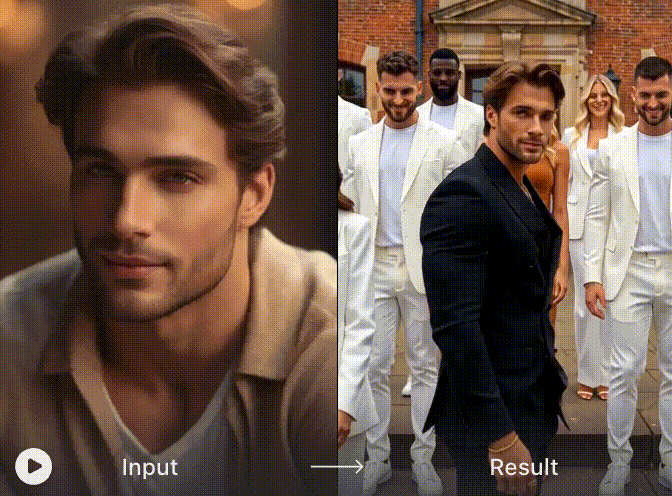
Official catalogue frame from one supplied STORM II AI Dance reference effect. It shows the recast lead-and-crowd pattern, but it is not a DraDra result or an independent quality test.
That distinction matters when choosing a tool. A generic text-to-video prompt can produce a crowd that dances, but it may not preserve the recognisable timing, blocking or camera movement. A preset or motion-transfer system starts from a known movement pattern, so it has a better chance of resembling the trend.
Choose the right creation path
Do not start by comparing brand names. Start with the input you have and the amount of control you need.
| Path | Typical inputs | Best for | Main trade-off |
|---|---|---|---|
| Ready-made one-photo preset | One clear portrait; some presets may ask for a second cast image | Fast social posts and first attempts | Least control over choreography, cast and camera |
| Reference-led motion transfer | A reference dance clip, a lead image and often a cast image | Recreating the recognisable group movement more closely | More preparation and more places for identity drift |
| DraDra photo-animation route | A photo or existing clip, then a dance or style effect | A related dance scene or an artistic variation | No verified exact STORM II template on the current public site |
If you only have one portrait, begin with a preset that explicitly says one image is enough. Do not assume every STORM II workflow works that way. If a tool asks for a reference video, lead image and cast image, each input controls a different part of the result.
Prepare a photo that survives movement
The best source image is not necessarily the most dramatic portrait. Movement generation needs visual information that remains usable when the body turns, steps or overlaps another person.
Score a candidate image from 0 to 2 on each line:
| Check | 0 points | 1 point | 2 points |
|---|---|---|---|
| Face detail | Blurred or tiny | Usable but soft | Sharp eyes, nose and jawline |
| Body visibility | Face-only crop | Torso visible | Head-to-knee or full-body view |
| Pose | Arms cover the torso | Some overlap | Limbs separated and readable |
| Lighting | Mixed or very dark | Acceptable | Even light across face and clothes |
| Background | Busy or similar to clothing | Moderate separation | Clean subject-background contrast |
An 8 to 10 is a strong starting image. A 5 to 7 can work, but expect more retries. Below 5, changing the photo is usually more effective than adding a longer prompt.
For a cast image, favour a small group with clear faces and similar camera distance. If the system accepts only one cast image, do not use a collage with wildly different lighting and head sizes. It gives the model conflicting identity and scale cues.
Workflow A: make it with a ready-made preset
This is the simplest route when the effect page already contains the movement and camera pattern.
- Confirm the input count. Look for a real output preview and check whether the preset asks for one lead portrait, a lead plus cast, or a reference clip.
- Use the intended crop. For a vertical result, start with a portrait image that leaves room above the head and below the hands. Avoid stretching a wide group photo into a narrow frame.
- Upload a clean lead image. Use your highest-scoring photo from the checklist above.
- Keep styling readable. A dark lead against a light cast, or the reverse, helps the central figure remain visible after compression.
- Generate one test before changing multiple variables. If the face drifts, change the portrait. If the motion is wrong, change the preset or reference. Do not change both at once.
- Review the complete clip. A good cover frame can hide duplicated cast members, fused hands or a face change later in the movement.
Preset labels can suggest very different costume worlds, from royal or mythology-inspired styling to animation and cinema-inspired looks. Treat those labels as creative directions, not permission to copy protected characters, costumes, music or logos.
Workflow B: use reference-led motion transfer
Reference-led generation is the more controllable route when the exact group movement matters. One current exact-match STORM II effect workflow separates three jobs: the reference video supplies motion and camera timing, the lead image defines the central subject, and the cast image defines the supporting group.
1. Choose the reference clip
Use footage you are allowed to upload and transform. Select one continuous section with the movement you need. Extra cuts, subtitles and camera changes create more opportunities for the output to break.
2. Assign the visual roles
- Lead: one clear person who should remain recognisable throughout the clip.
- Cast: a group or repeatable secondary look that stays visually distinct from the lead.
- Environment: one consistent location, light direction and colour palette.
3. Write a role-based prompt
Describe relationships rather than listing decorative adjectives. For example:
A cinematic vertical crowd-dance scene. Keep the person in the black outfit as the lead in the centre foreground. Dress the supporting cast in coordinated white outfits. Preserve the reference choreography, group spacing and forward camera movement. Keep faces, clothing colours and the location consistent across the clip.
No prompt can guarantee perfect identity or frame-by-frame continuity. Its job is to remove ambiguity, not override a poor image or unsuitable reference.
4. Review a still and the motion separately
First confirm that the lead, cast and styling are assigned correctly. Then watch the clip at normal speed and scrub through turns, hand overlaps and the moment the crowd advances. A beautiful still is not evidence that the video remains coherent.
Where DraDra fits
DraDra is positioned as an AI art filter and style transformation platform for photos and videos. Its public site currently presents a Realistic Couple Dance Animation Generator and a broader Animate a Picture workflow. These are relevant to dance-led content, but neither page documents an exact STORM II preset. Use DraDra when a related animated dance scene or stylized variation serves the idea, not when exact choreography matching is non-negotiable.
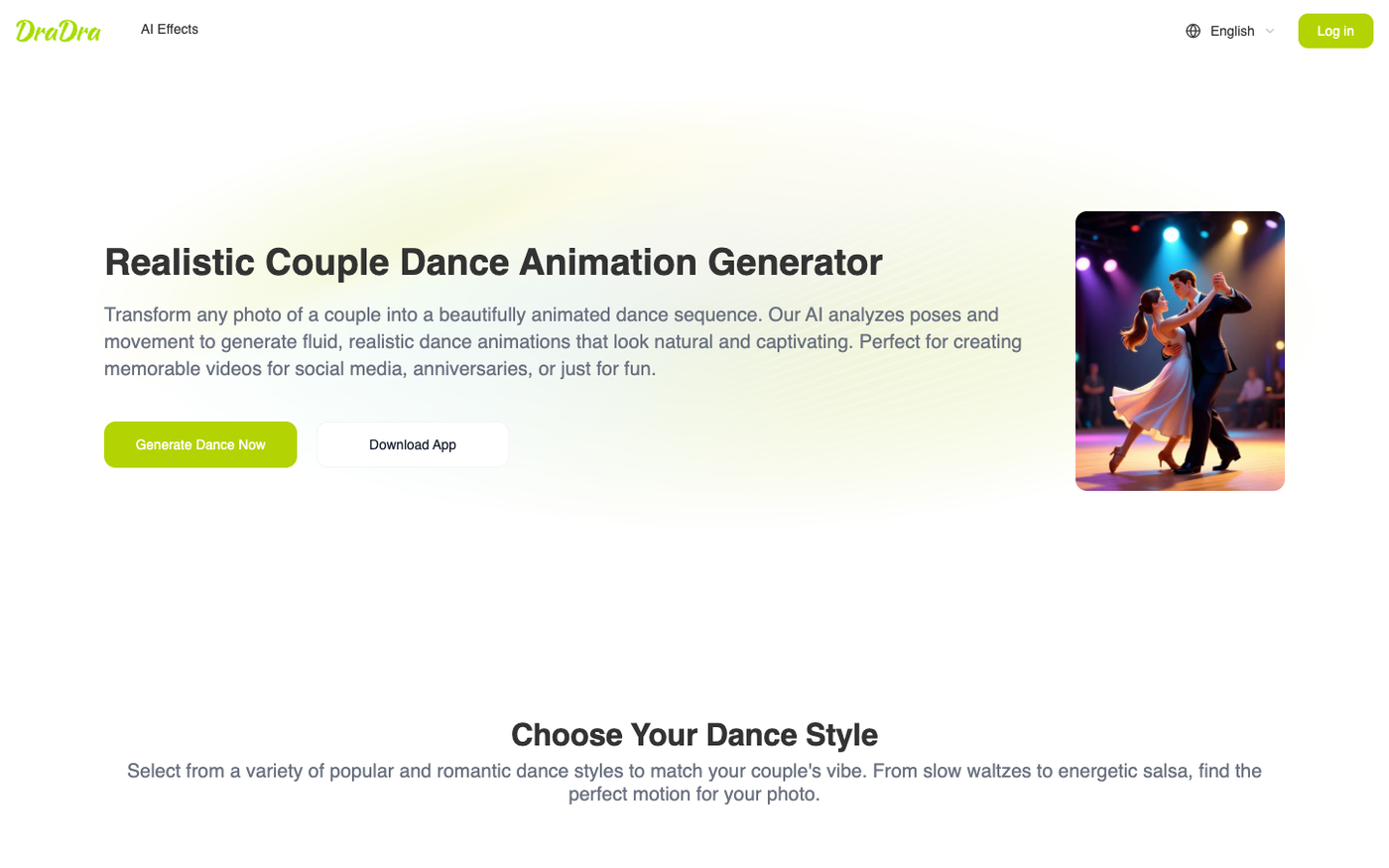
Official DraDra page presenting a photo-to-dance workflow. This screenshot does not prove exact STORM II motion support.
The dance page describes styles including ballroom, hip-hop, waltz and salsa. The examples below are official DraDra stills from that page. They show the range of visual treatments, not a controlled test with the same input.
Official DraDra output example: a landscape city-dance composition with a clear two-person pose.
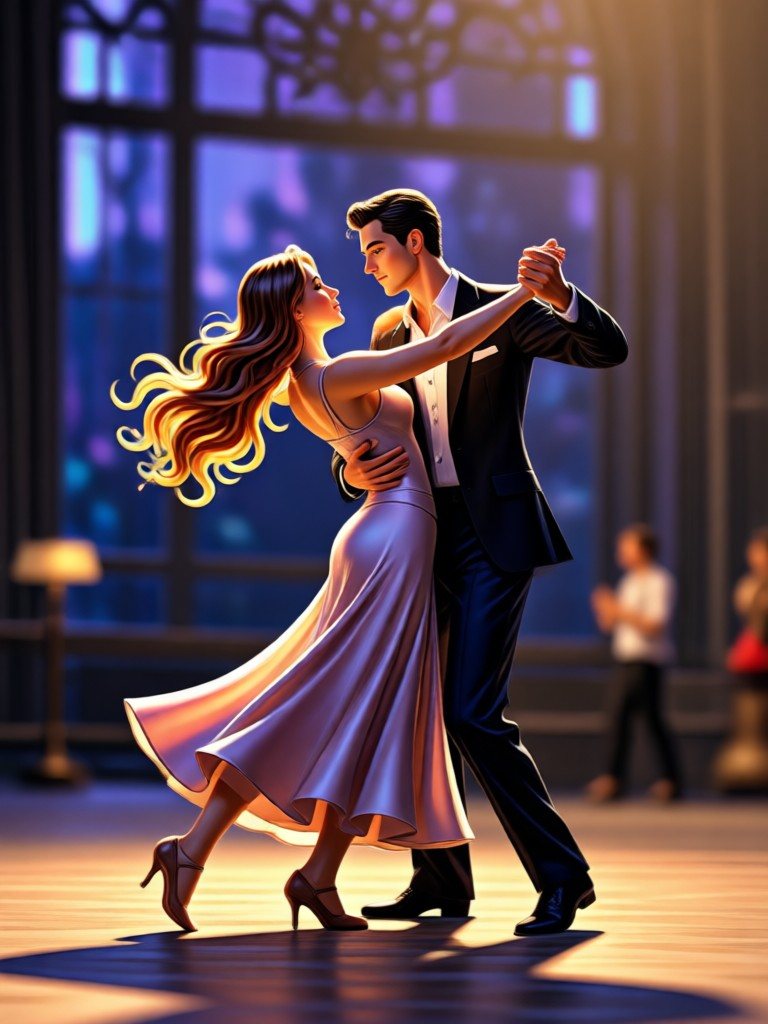
Official DraDra output example: a portrait ballroom composition suitable for checking subject separation and costume consistency.
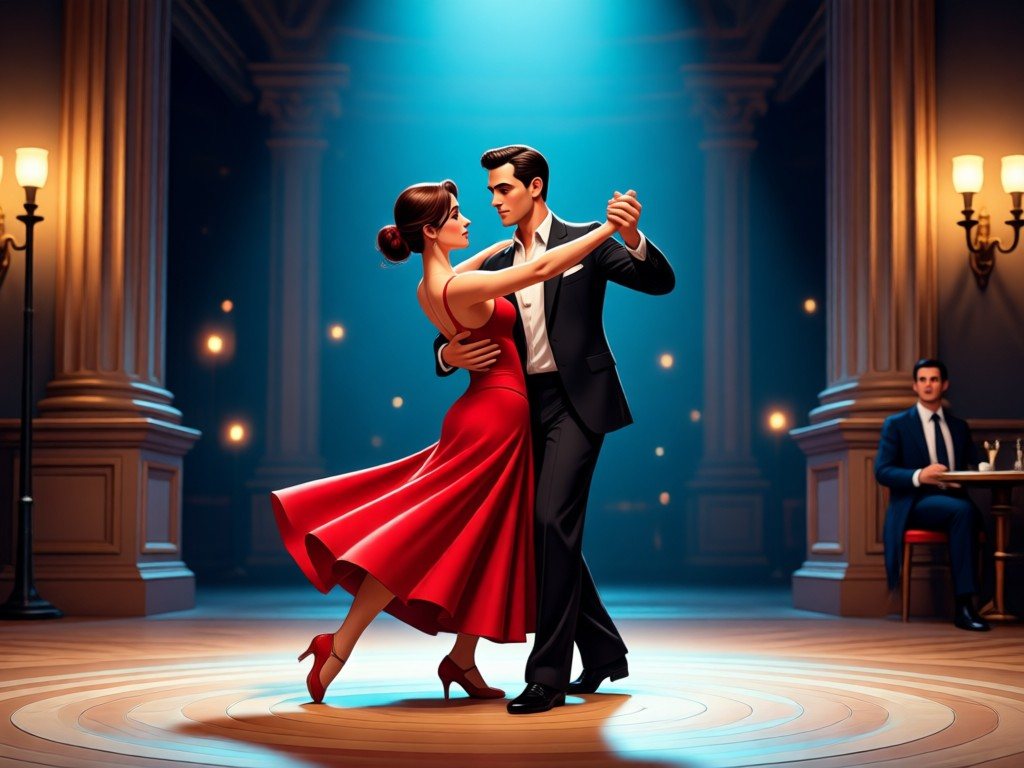
Official DraDra output example: a materially different scene and lighting treatment from the first two examples.
For a practical DraDra route:
- Open DraDra and choose the closest current dance or photo-animation effect.
- Upload a photo you own or have permission to use.
- Select the movement or visual style available on that page. Controls and effect availability may change.
- Generate the clip, then compare the face, hands, clothing edges and background with the source.
- If exact STORM II choreography is required and the current effect does not offer it, use a dedicated reference-motion workflow instead of implying a match.
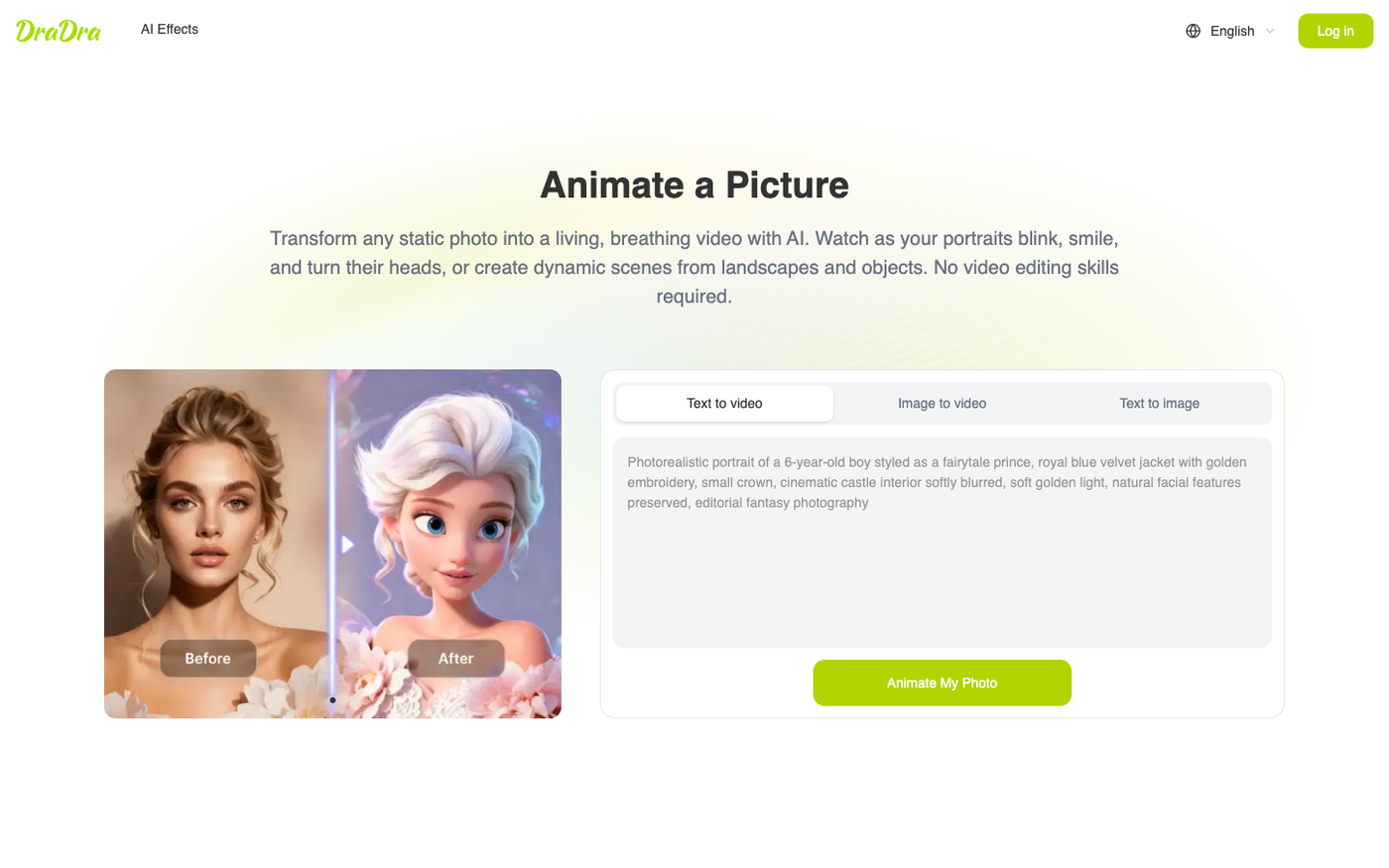
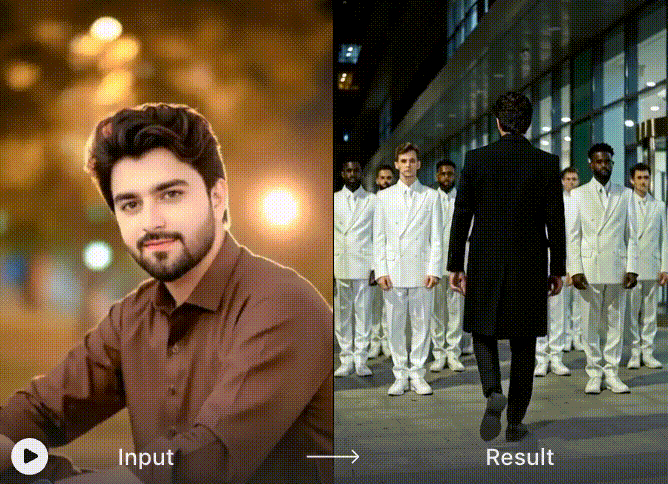
Official DraDra Animate a Picture interface demonstrating the broader image-to-video route available on the site.
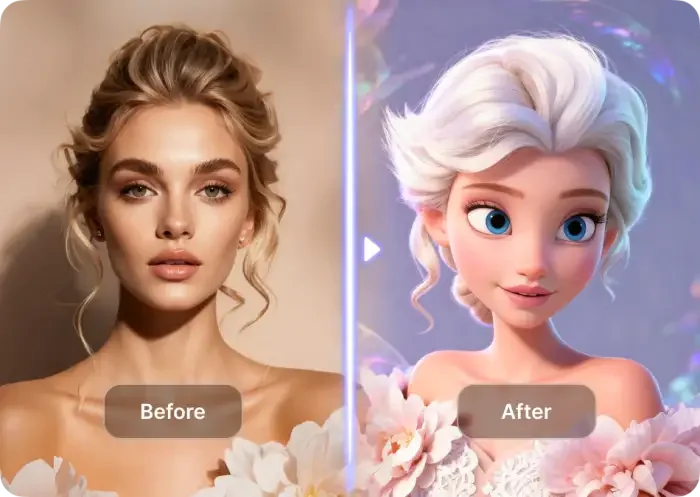
Official DraDra source-to-result example. It shows substantial style transformation, so identity and scene continuity should be checked rather than assumed.
DraDra's public effect and FAQ pages do not list a numeric price or a universal commercial-use promise. Check the current official page for price, credits, output rights and any restrictions before paid or client work.
Fix the six failures that matter most
Use this failure map before spending time on prompt rewrites.
| Symptom | Likely cause | Change one thing first |
|---|---|---|
| The lead's face changes during a turn | Face is too small, soft or partly covered | Use a sharper, closer source with an unobstructed face |
| Cast members duplicate or merge | Cast identities and positions are ambiguous | Use one clean group image with similar scale and lighting |
| The lead disappears into the crowd | Lead and cast share similar colour and role cues | Increase outfit contrast and name the lead's position explicitly |
| Hands or feet fuse | Fast overlap, long garments or dense blocking | Try a simpler source pose or a cleaner movement segment |
| The dance looks generic | The workflow is text-to-video or the wrong preset | Switch to a preset or reference-motion path built around the target movement |
| The clip flickers after export | The generation is unstable or heavily compressed | Inspect the native result and regenerate before resizing or reposting |
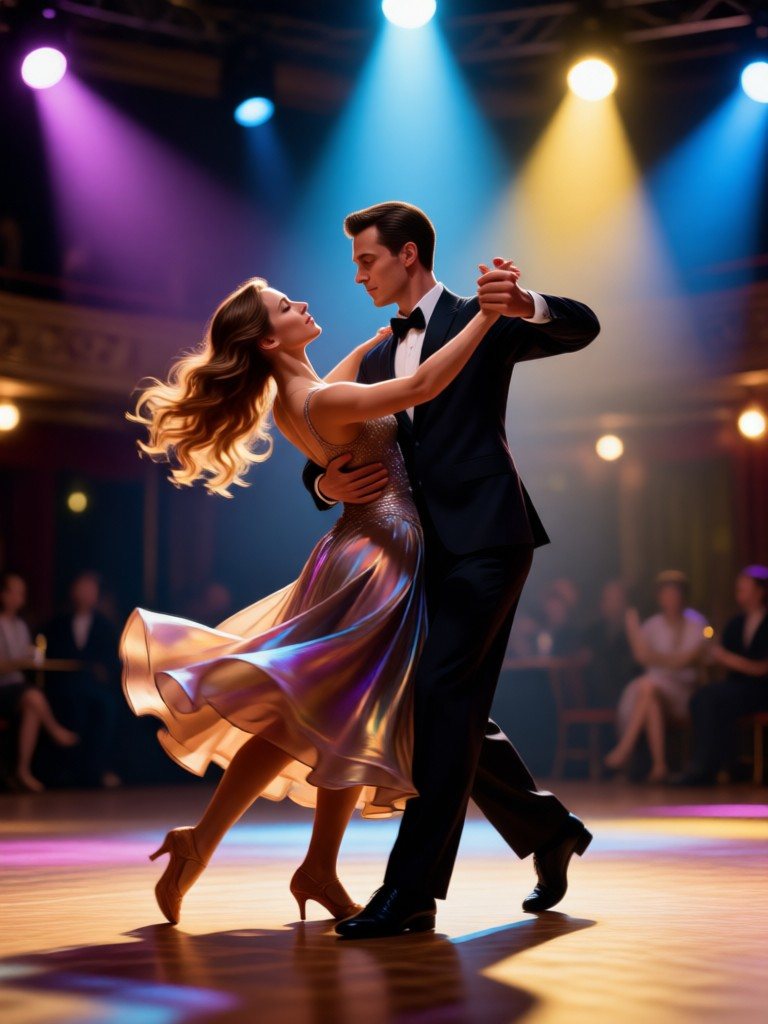
Quality-check reference: in a moving result, inspect the joined hands, shoe placement, dress edge and face at several points, not only in the cover frame.
A useful review takes eight pauses: opening frame, first step, first hand overlap, first turn, midpoint, closest camera position, final large movement and closing frame. If the same defect appears at two or more pauses, regenerate before adding captions or audio.
Posting in India: build for Reels and Shorts
For an India-facing release, plan around Instagram Reels and YouTube Shorts. India's government blocked TikTok and other apps in 2020, and an August 2025 government clarification said no order had lifted the block. That makes Reels and Shorts the more practical local publishing plan even when the trend travels globally under TikTok-style language.
A 2025 Meta-commissioned Ipsos study of more than 3,500 respondents across 33 Indian centres reported strong daily Reels use and preference among those surveyed. Because Meta commissioned the study, treat it as directional platform evidence rather than an independent market census. It still supports leading with a Reel, then adapting the clean master for Shorts.
For the edit itself:
- use a 9:16 vertical master when the generator supports it;
- show the lead-and-crowd contrast in the first moments rather than opening on setup text;
- keep captions away from faces and the lower interface area;
- export a clean version before adding platform-specific audio or stickers;
- write a caption that identifies the piece as an AI transformation when that context would otherwise be unclear.
Audio, likeness and commercial-use checks
An AI output does not automatically clear the rights attached to its ingredients. Before publishing:
- use your own photo or obtain permission from every identifiable person;
- avoid using a celebrity, child or private person's likeness without a valid basis and consent;
- use original audio, licensed audio or music made available for your intended use inside the destination platform;
- do not assume that access to a reference clip grants permission to repost or commercially transform it;
- review the current tool terms before advertising, client work, resale or monetised publishing;
- disclose material AI alteration when required by the platform, client or context.
These checks are especially important for franchise-inspired variants. A filter name or generated costume does not grant rights to a character, brand, soundtrack or film property.
DraDra's current privacy policy says face-related uploads are used to provide the requested effect, are not used for model training and are not retained beyond processing. That is the provider's policy statement, not an independent audit. Review the current policy and deletion controls before uploading another person's face or any sensitive image.
Frequently asked questions
What is STORM II AI Dance?
It is an AI remake trend inspired by the synchronized crowd sequence in the second half of GENER8ION and Yung Lean's STORM I & II music video. Creators replace or restyle the lead and supporting cast while reusing a similar movement and camera pattern.
Was the original STORM II dance made with AI?
No. The source sequence was a live-action production with performers, casting, rehearsals, direction and choreography. AI is used in later remakes and character-replacement effects.
Can I make STORM II AI Dance with one photo?
Some ready-made presets are designed for one portrait. Reference-led workflows may require a dance clip, a lead image and a cast image. Check the actual input fields before preparing assets.
Why does the face change during the dance?
The face may be too small, blurred or covered during a turn, or the movement may be too aggressive for the input. Start with a sharper, front-facing source and judge the full clip rather than the thumbnail.
Can DraDra make the exact STORM II dance?
DraDra's public pages do not document an exact STORM II template. DraDra offers related photo-animation, dance and video-style workflows, so it is a better fit for an adjacent creative variation than a promised choreography match.
Can I use the original song in my Reel or Short?
Only when your use is covered by the rights you hold or by the destination platform's current music licence for that account, territory and use. Generating a video does not grant rights to the song.
Is STORM II AI Dance free to make?
That depends on the tool, effect and credit allowance. No numeric price is listed on DraDra's public effect and FAQ pages. Check the current official page before generating or subscribing.
Where should creators in India post the result?
Instagram Reels and YouTube Shorts are the practical first choices for an India-facing audience. Make one clean vertical master, then adapt the caption, audio and disclosure for each platform.
Make the concept your own
The strongest STORM II AI Dance remake preserves the readable lead-versus-crowd structure without pretending that a preset owns the original choreography or that one tool can guarantee every frame. Pick the workflow that matches your inputs, run the eight-pause quality check, and publish with clear rights and AI context.
For an artistic dance variation rather than a claimed exact replica, explore DraDra and choose the current photo-animation or dance effect that fits your image. Its value is creative transformation: making the source feel newly illustrated, cinematic or stylized while you remain responsible for reviewing identity, motion and usage rights.